Listing
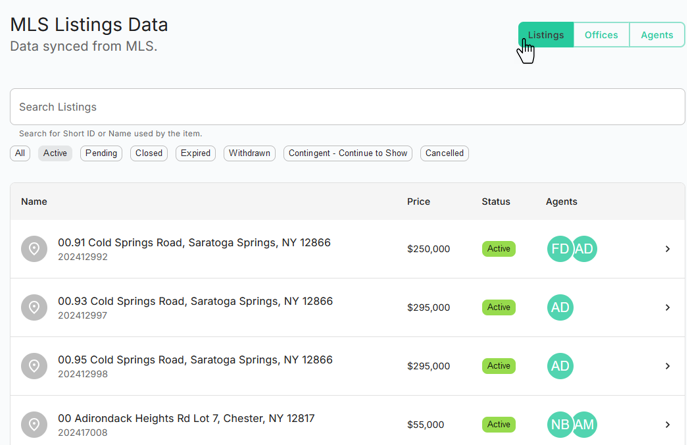
To explore Listing in the Market, go to the Network Page. Click on the Listing button located at the top right corner.
You can search MLS Listings by entering few key word. You can filter your Listings using various filters like status of the Listing e.g. _Active, Pending, Closed, Expired, Withdrawn, Contigent - Continue to Show, Cancelled.
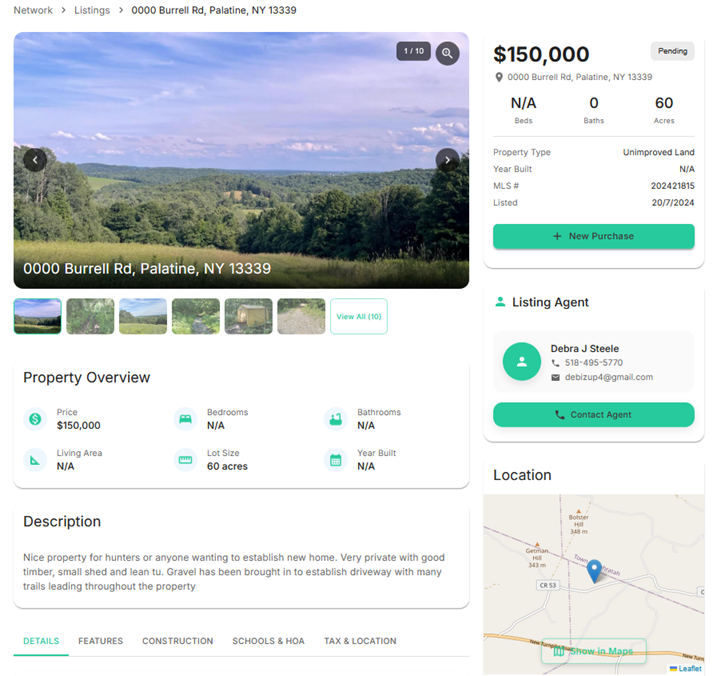
By clicking on Address of property you can see Listing details.
You can also create new purchase contract from here by clicking + New Purchase
You can see property location by clicking on Map