Create Package
From the top navigation menu, click Contracts to navigate to the eSign page.
To Create eSign Package, navigate to the Bhumio Transacation Page and Click eSign
You can click + Create Package button and system will create Draft package as new page. You can upload files and add sign tags to send a signature package.

Create Templates
You can create your custom Template for frequent use, you can add multiple forms in Template.

click + Add Signers button and system will display a dialog box allowing you to enter details of Signer. You can select various roles like Buyer, Seller, Buyer Agent, Seller Agent or None if you do not want to assign any role for signer.
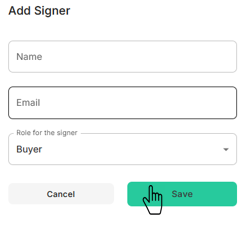
You can edit or delete signer by clicking
or icon.
You need to add E-Sign tags to document by clicking
or icon.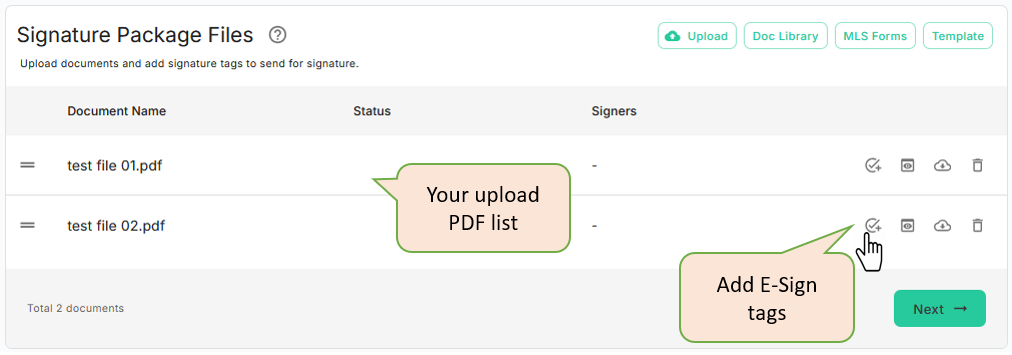
Click on
icon to add Esign tags