Creating a Purchase Contract
As a Buyer Agent, you can create a Property Purchase Contract by providing the following key details:
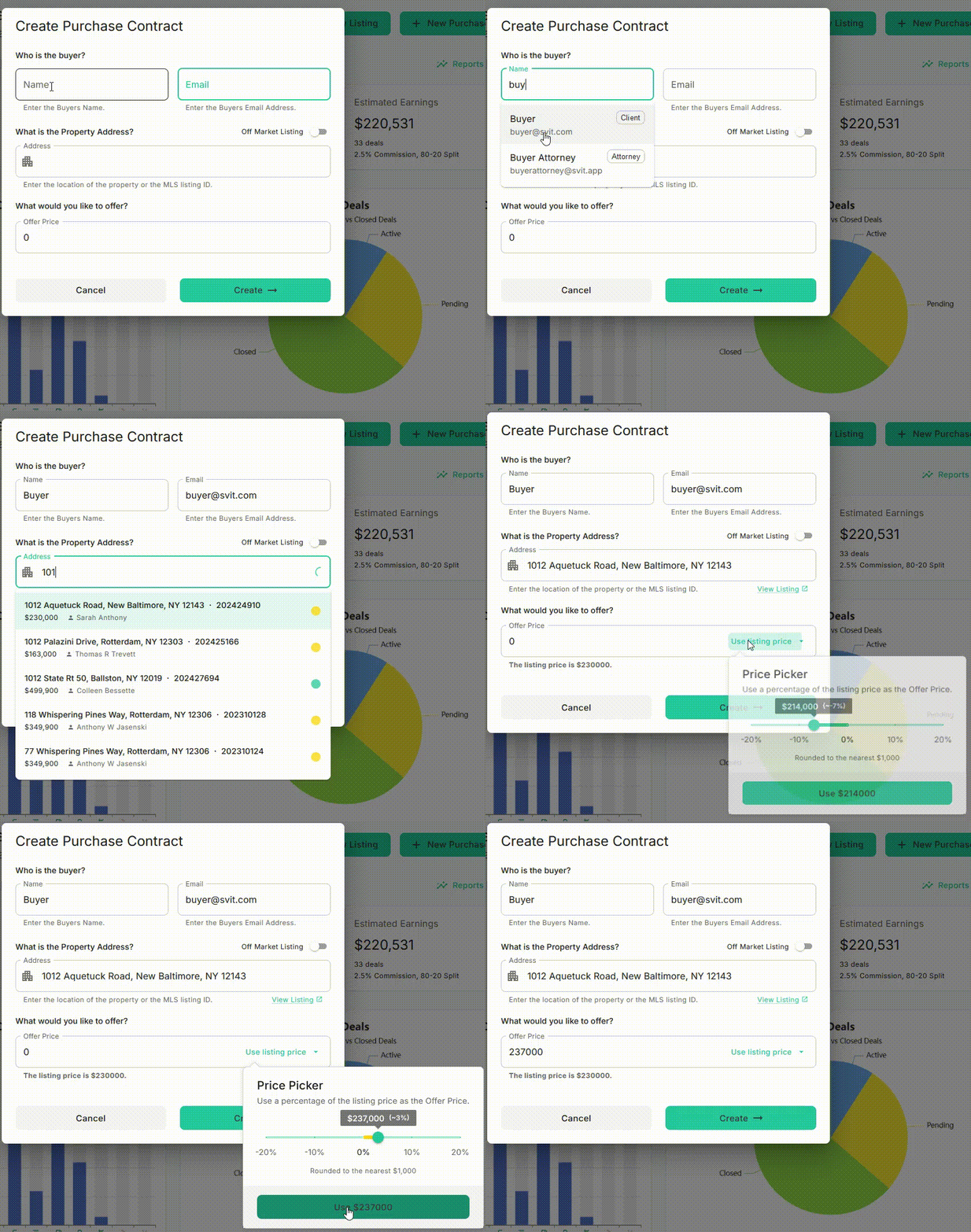
- Buyer’s Email
- Buyer’s Name
- Property Address
- Offer Price
To start, navigate to the Home page from the top navigation menu and click + New Purchase to begin a new contract.
To Create Purchase Contract, navigate to the Bhumio Dashboard Page and Click + Purchase Contract button as shown below.
Starting a New Contract
You can fill Buyer and Property details as shown below.
After clicking Create →, the system will generate a DRAFT Contract, including relevant property details from the MLS system.
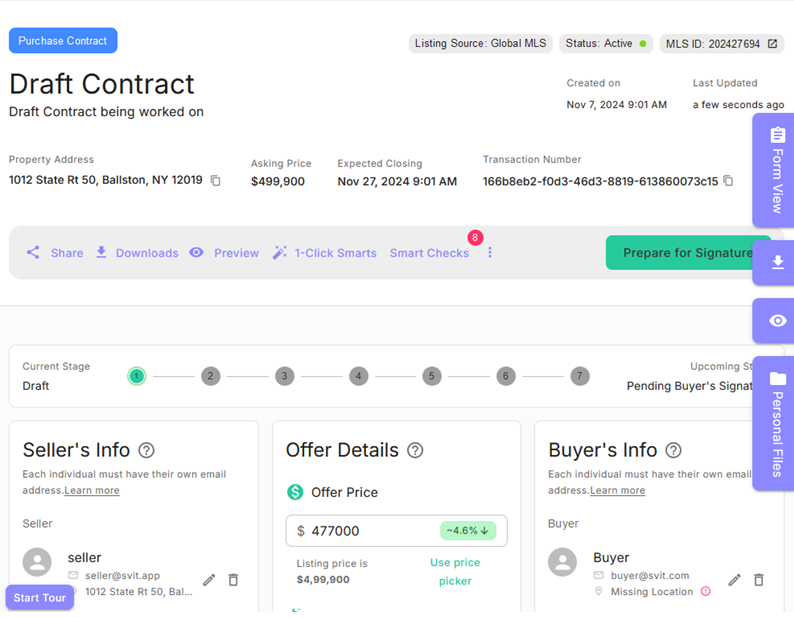
The system will automatically populate the contract with MLS listing information. From this point, you can:
- Edit Information: Use the Edit button to update the Seller’s Info, Offer Details, and Buyer’s Info sections.
- Add Team Members: Include additional Buyers, Sellers, co-Agents, or a Transaction Coordinator.
- Assign Attorneys: Add attorneys for both the Buyer and the Seller.
- View Formats: Toggle between Form View and Tab View.
- Download and Share: Preview the draft contract or share it by email using the Share button.
When all contract details, attached documents, and e-sign tags are finalized, click Prepare for Signature to send an email notification to the Buyer.