Delete Offer
To delete offer, go to the Offers page from the main navigation menu.
Use the appropriate filter, such as MLS Offers or Off Market Offers, to view the list of offers. If there are offers you’ve previously added, the system will display a popup message, as shown in the image below.
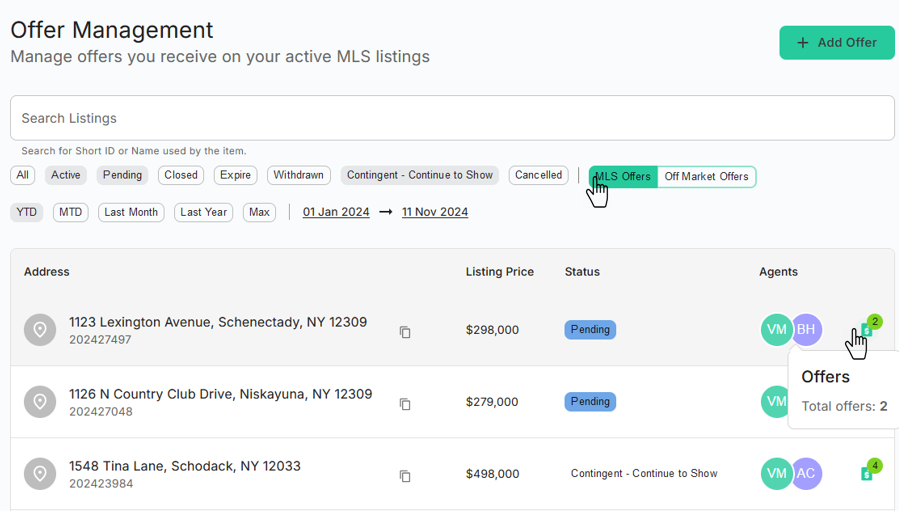
The system will then show all your offers. Click on address that you want to delete Offer.
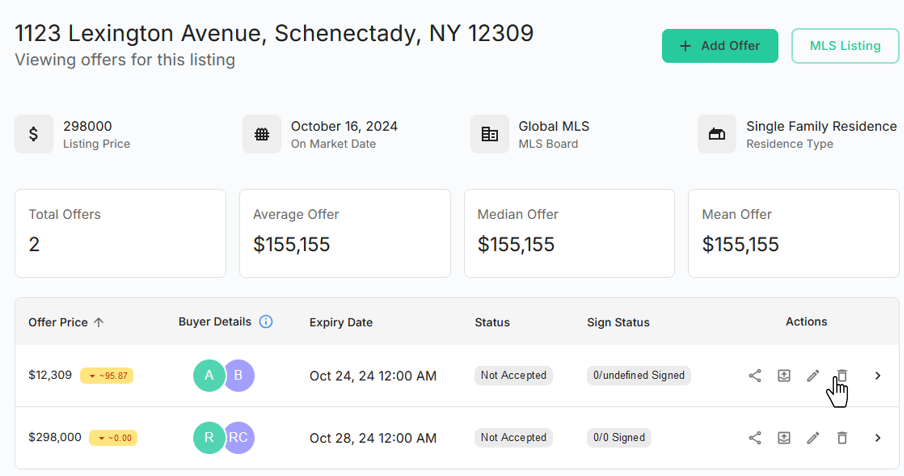
Click the Delete
icon next to the offer you want to delete.