Contract Documents
Manage active legal files, addendums, and contract attachments required for your real estate transactions.
Documents uploaded here are added directly as addendums to the contract and are legally binding. You can upload documents or relocate items to and from the File Cabinet as your transaction progresses.
Key Capabilities & Workflow
- Addendum Management: Uploaded files automatically bind to the purchase contract as official addendums.
- Organize Active Files: Move Contract Documents that are no longer part of the active agreement to the File Cabinet individually or in bulk.
- Document Upload Options: Add documents directly via local files, MLS Listing conversion, or your Brokerage Docs Library.
Navigation & Location
- Where to Find It: Open the Contract Documents card within your transaction workspace.
- Path:
Home→Transactions→Open or Create a Purchase/Listing Transaction→Contract Documents
Operational Steps
Moving Files to File Cabinet
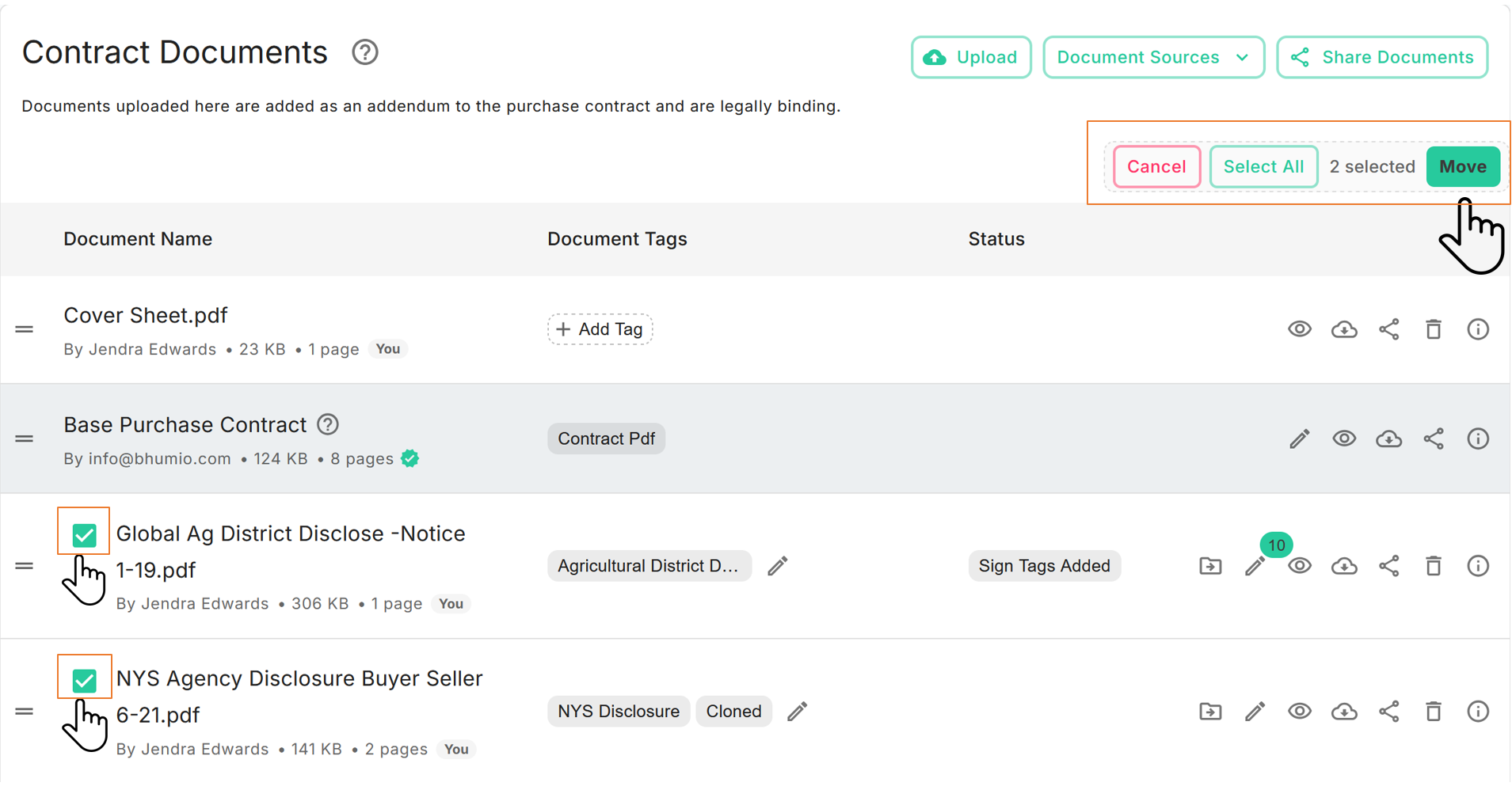
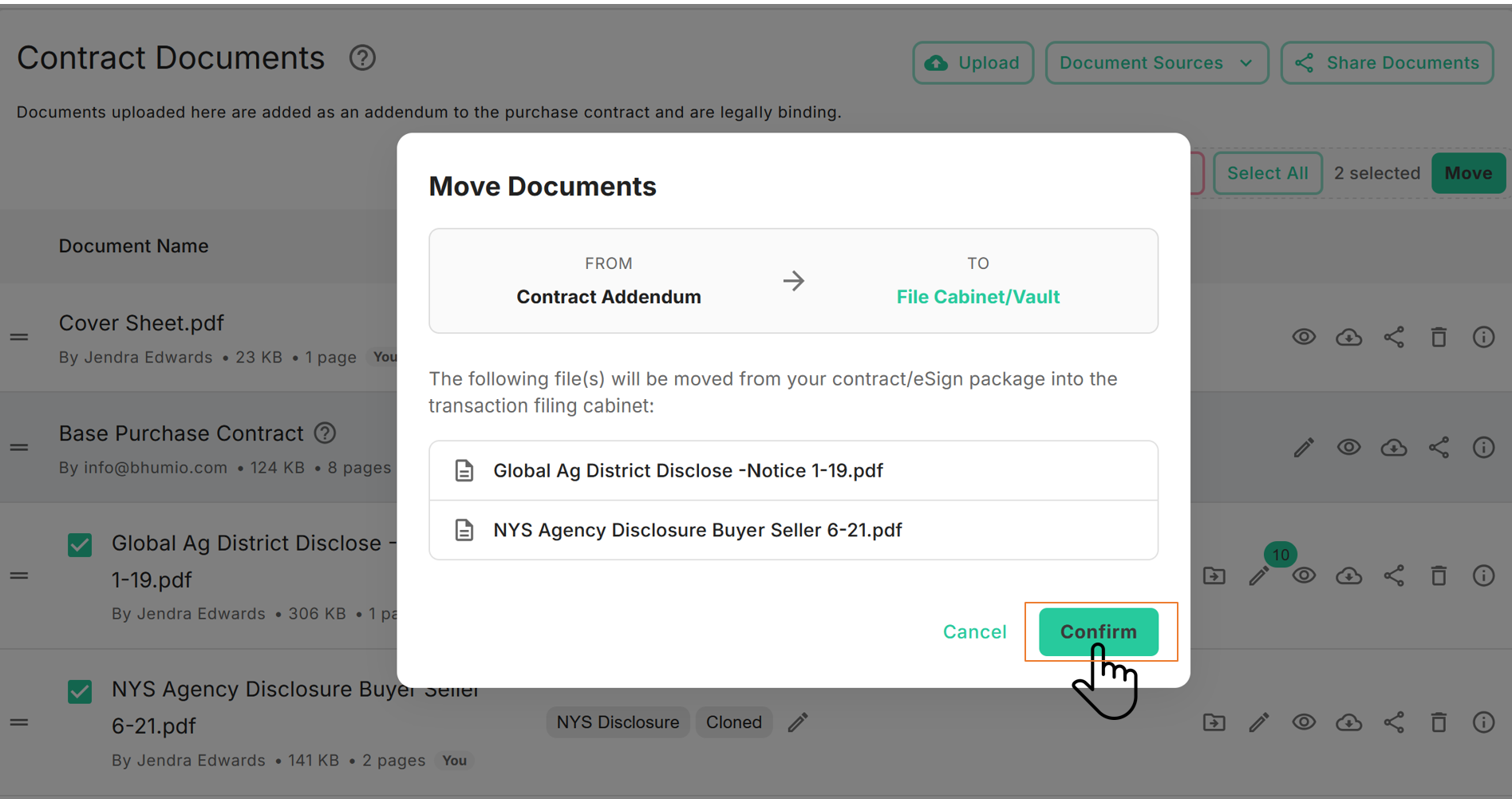
- Option 1 – Bulk Action: Click Select files to move to File Cabinet, mark the desired documents, and confirm relocation.
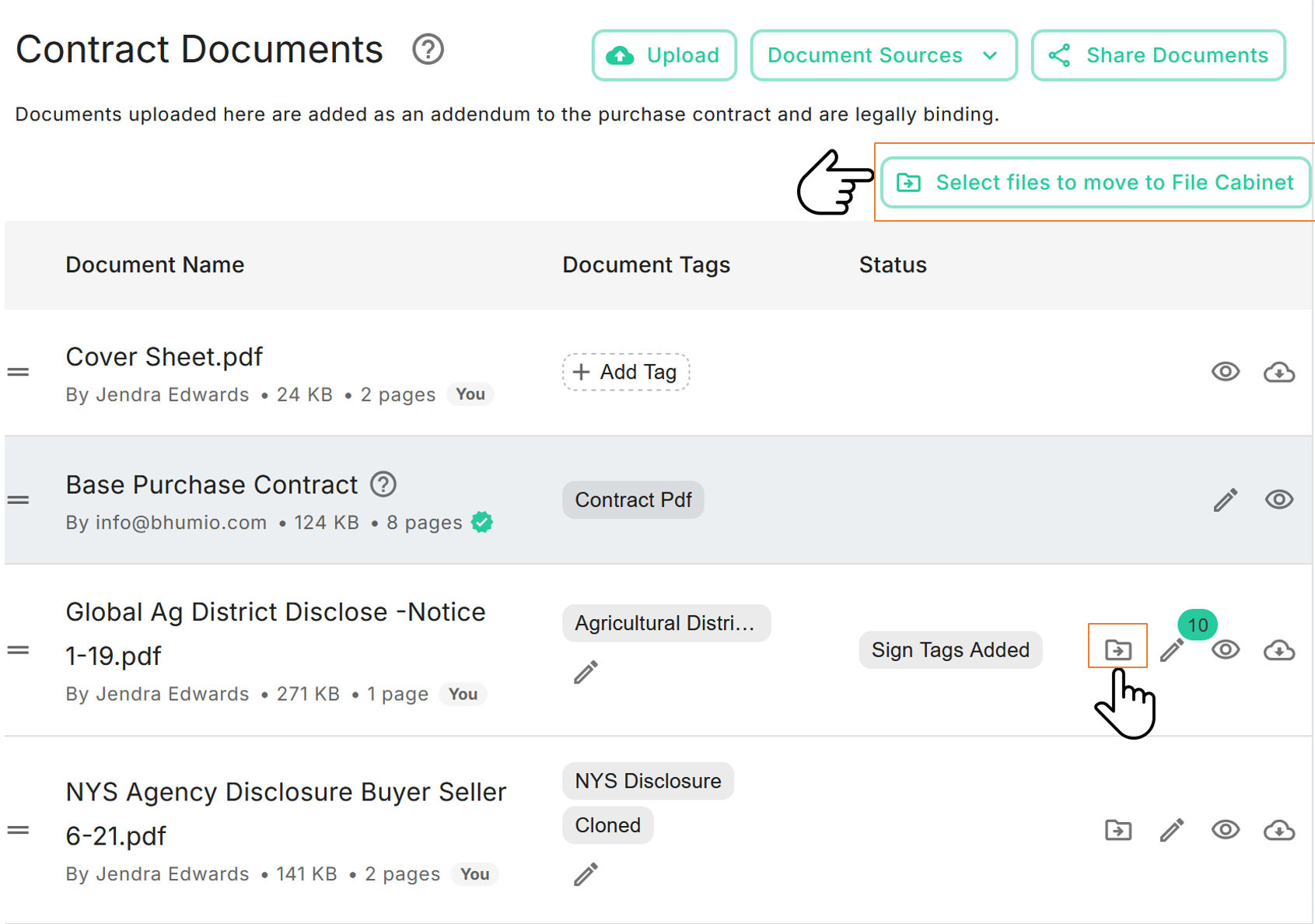
- Option 2 – Single Action: Click the Move to File Cabinet icon adjacent to any specific document to transfer it instantly.
.png)
.png)