Addendum
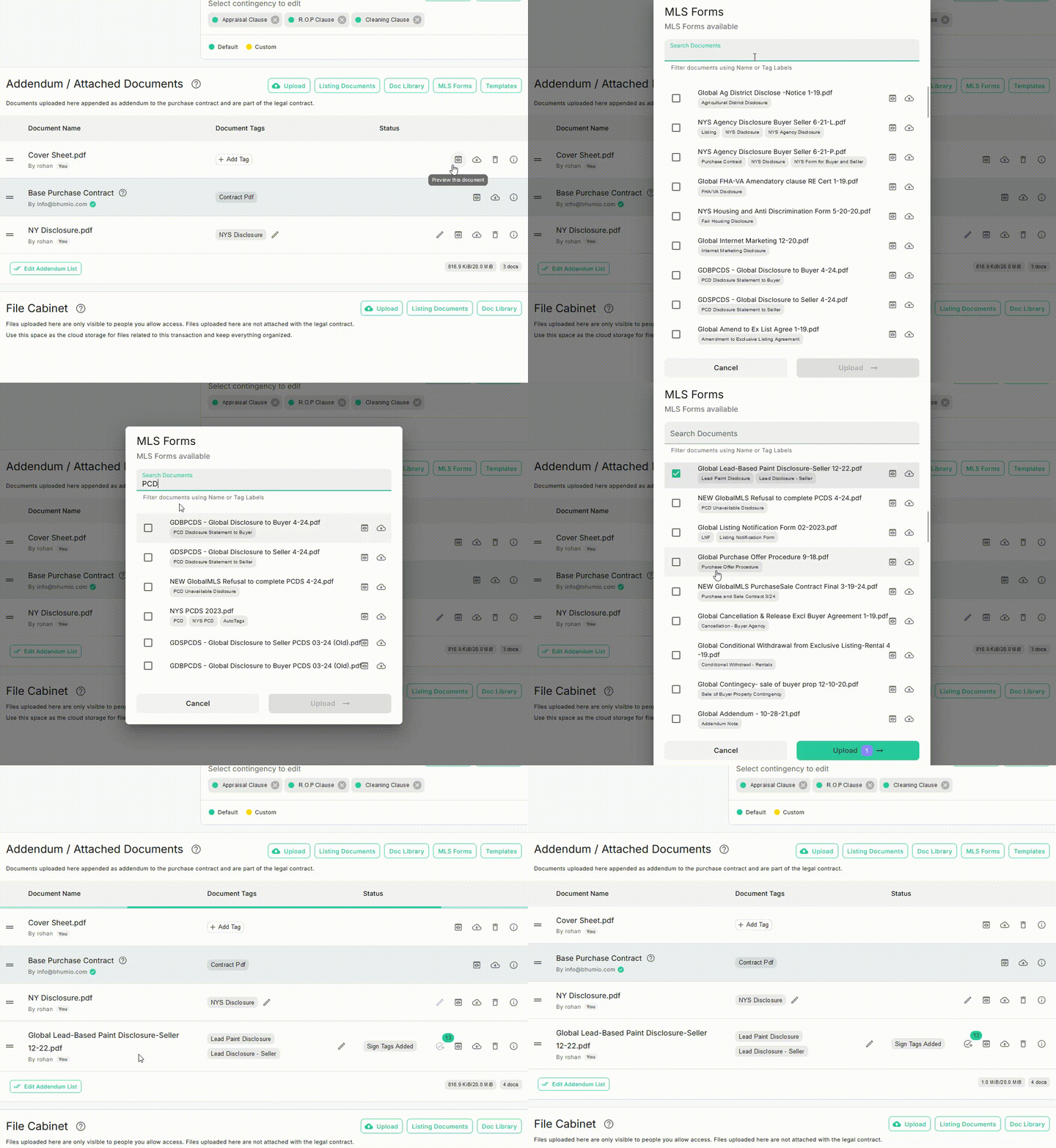
Navigate to the Addendum / Attached Documents card on the Purchase Contract page.
Documents uploaded here are appended as addendums to the purchase contract and become part of the legal agreement. You can attach addendums or documents in the following ways:
- Upload: Upload PDF files directly from your local drive or Google Drive.
- Listing Documents: Attach files from the MLS listing. The system will automatically convert these files to PDF format.
- Docs Library: Select files from your Brokerage’s Docs Library, which provides access to documents uploaded by your Brokerage Admin.
- MLS Forms: Search for and include MLS forms to the purchase contract.
- Templates: Attach Brokerage Templates to the purchase contract.
caution
Important: All uploaded PDF files must not exceed 20MB. The Addendum / Attached Documents card displays the total size of all uploaded PDFs in the bottom-right corner.
Listing Documents
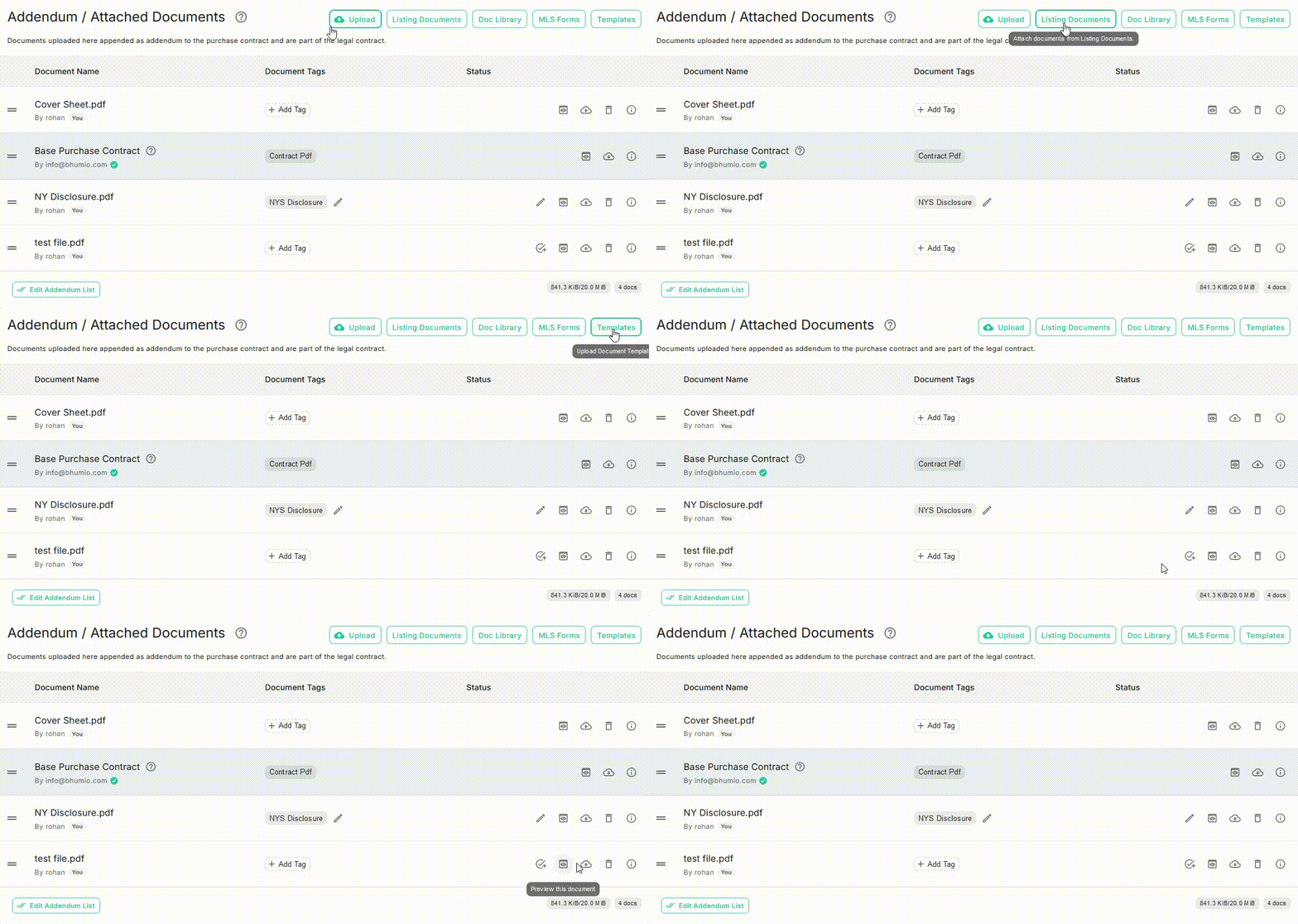
To attach listing documents:
- Click the Listing Documents button.
- A dialog box will display the available listing documents for the selected property.
- Select the required documents and click Upload to add them to the contract.
MLS Forms
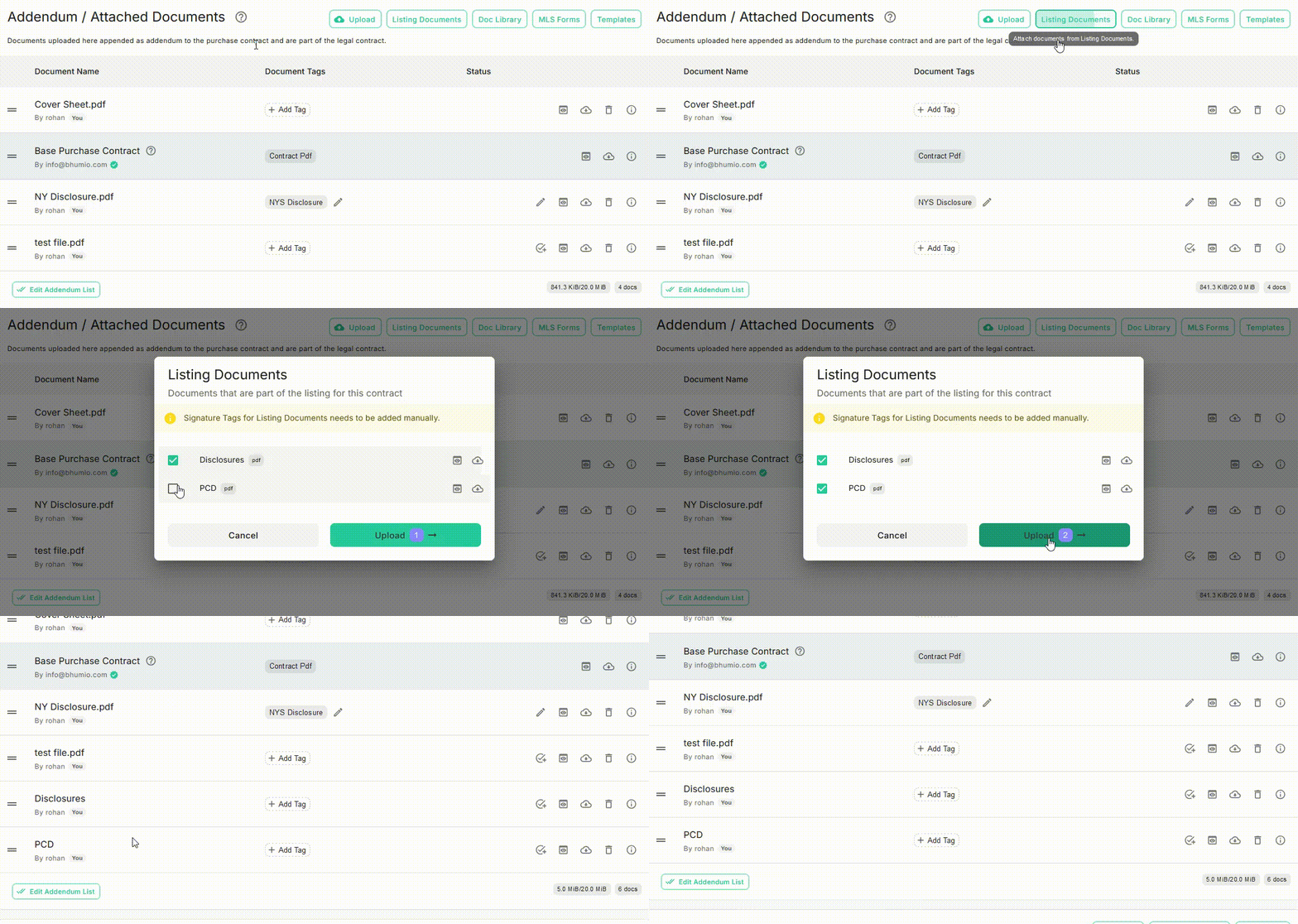
To include MLS forms:
- Click the MLS Forms button.
- A dialog box will display the available MLS forms for your MLS.
- Choose the required form or disclosure and click Upload to add it to the contract.